PreAct Technologies ships LiDAR sensors — the Sahara and Mojave product families — and the computer-vision SDKs that bring them to life inside robotics, automotive, industrial, and smart-city deployments.
The challenge was specific: PreAct’s clients and internal teams needed an integrated system that gave them access to both layers of the product at once — every version of the SDK and every hardware revision of the camera lineup — from a single, coherent interface.
Before the redesign, that experience was scattered across multiple internal tools, documentation files, and email threads. A developer pairing the right SDK with the camera in front of them had to cross-reference release notes, hardware datasheets, and support tickets just to confirm compatibility. The result was a slow onboarding flow for new clients and a steady support load on PreAct’s engineering team.
The dashboard had to serve two audiences in parallel — external developers integrating PreAct’s technology, and internal teams managing the SDK and hardware releases those developers rely on.
I worked through a structured twelve-phase process designed to balance the speed PreAct needed with the depth the product demanded. Each phase produced its own artifact, validated against real users before moving to the next.
Project kickoff & objectives
Aligned with stakeholders on the dashboard’s strategic goals: provide unified access to every SDK and camera version, improve workflow efficiency for developers and administrators, and deliver a user-friendly experience consistent with PreAct’s brand and product maturity.
User research
Conducted stakeholder interviews with developers integrating PreAct hardware, system administrators managing fleets of sensors, and end-users consuming the data downstream. Translated those conversations into clear user personas representing the diverse roles, technical levels, and expectations interacting with the dashboard.
Requirements gathering
Specified the functional requirements per audience: SDK access patterns developers expect when working with different versions, the management workflows required for tracking and updating camera revisions, and the third-party integrations the dashboard had to connect with — from internal release pipelines to existing client tooling.
Information architecture
Structured SDKs and camera versions in a logical hierarchy that the dashboard makes immediately navigable. Mapped the user flows for every recurring task — adding a new sensor, validating an alert, downloading an SDK, updating a team’s permissions — so the architecture was tested against real journeys, not theoretical sitemaps.
Wireframing
Developed low-fidelity wireframes to lock the structure and placement of every key element on the dashboard: KPI bar, sensor catalogue, alert tables, documentation sidebar, account modules. Identified the functional components shared across flows — search, filters, sorting, modal patterns — and designed them once.
Visual design
Built the high-fidelity UI in Figma around PreAct’s brand: dark dashboard surface, controlled accents in the brand’s orange-to-yellow gradient, geometric shape language inherited from the marketing identity. Ensured visual consistency across SDK pages, camera interfaces, sensor cards, and the documentation surface.
Development & integration
Worked closely with the engineering team to implement the visual design as a responsive, interactive dashboard. Coordinated the back-end integrations — SDK repositories, the camera version database, alert telemetry — so the front-end could surface real product data, not static mockups.
Testing
Ran functionality testing across SDK access and camera version flows to validate every state. Followed with user acceptance testing involving real developers and administrators, using their feedback to refine the interaction patterns before launch.
Deployment
Rolled the dashboard out in stages, starting with a small cohort of clients and internal users to surface real-world issues early. Delivered training sessions that walked teams through the new workflows so adoption didn’t depend on documentation alone.
Monitoring & maintenance
Defined the patterns for ongoing performance monitoring and iterative improvement — usage analytics inside the product, structured feedback entry points, and a release cadence PreAct could maintain after handoff.
Documentation
Produced comprehensive user manuals for developers and administrators, plus a versioning documentation layer that makes the SDK-to-camera compatibility logic explicit — so the dashboard becomes adoptable by new clients without manual onboarding from PreAct’s engineers.
Feedback loop & scalability
Established a continuous improvement loop, with structured channels for user feedback feeding directly into the product roadmap. Designed the architecture to scale — future SDK releases, new camera revisions, and additional product lines plug into the existing dashboard without redesigning core flows.
The final product is organized around the operational reality of PreAct’s clients: managing a fleet of sensors, validating the alerts they produce, and integrating the right SDK for each hardware version.
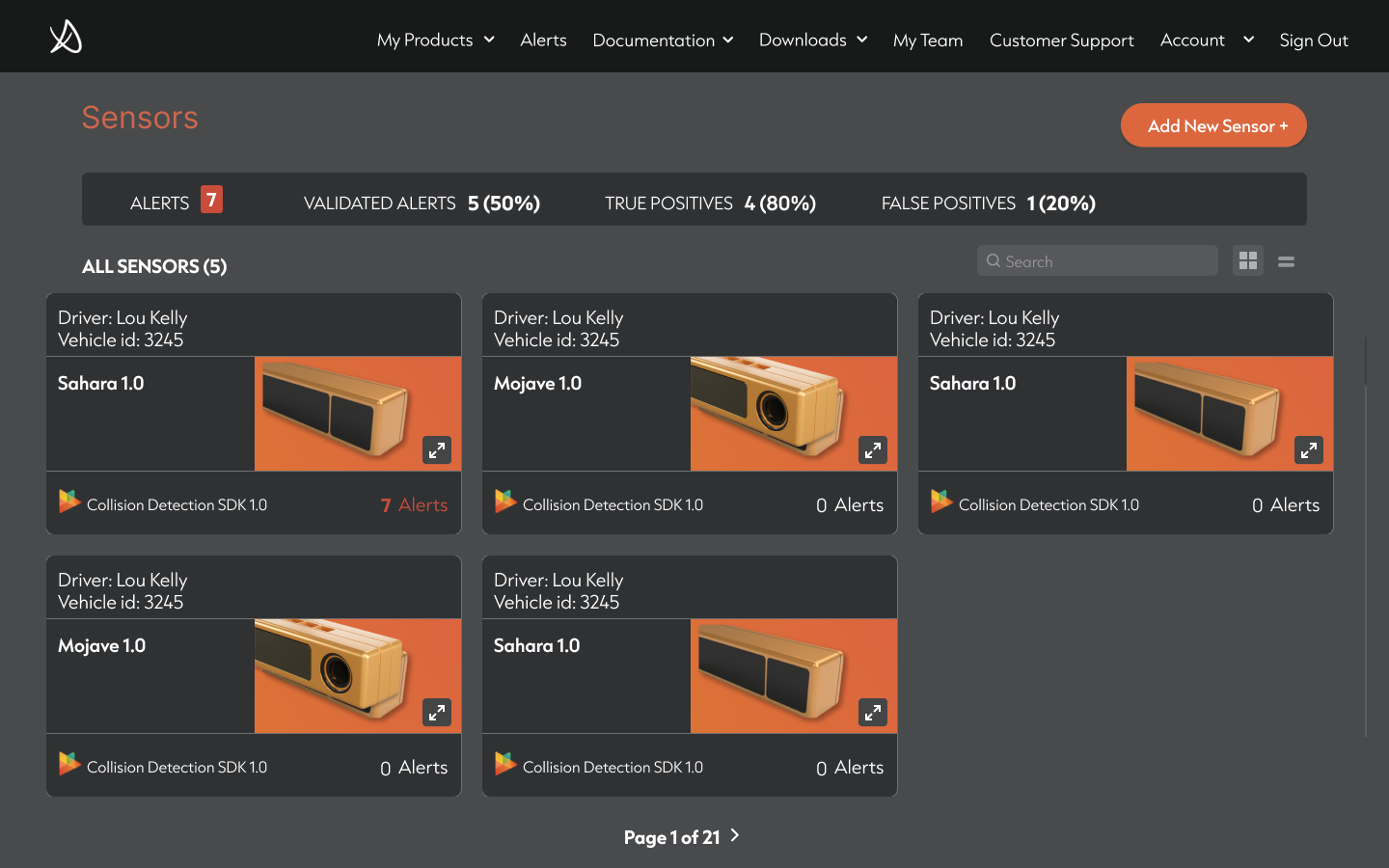
The Sensors module is the dashboard’s default view — sensor cards display the camera model (Sahara, Mojave), the SDK currently deployed (Collision Detection SDK 1.0), driver and vehicle metadata, and the live alert count. A KPI bar above the catalogue surfaces the metrics that matter to fleet operators: total alerts, validated alerts, true positives, false positives.
The Alerts module gives operators a full investigation surface: amplitude, intensity, and point-cloud views of each detection, sensor and vehicle identifiers, location coordinates, and a validation control that lets human reviewers confirm or dismiss the alert — feeding the model’s precision over time.
The Documentation module provides structured datasheets for every camera revision — Overview, General Specifications, Environmental, Electrostatic Discharge, Basic Device Operation, Hardware Details, System Integration, Firmware & Software, Regulatory Information, Safety & Certifications — reachable in one click from a persistent sidebar.
The Account and My Team modules complete the surface, handling onboarding, role management, password security, and customer support entry points.
Fig. 01 — Sensors catalogue, default icon view.
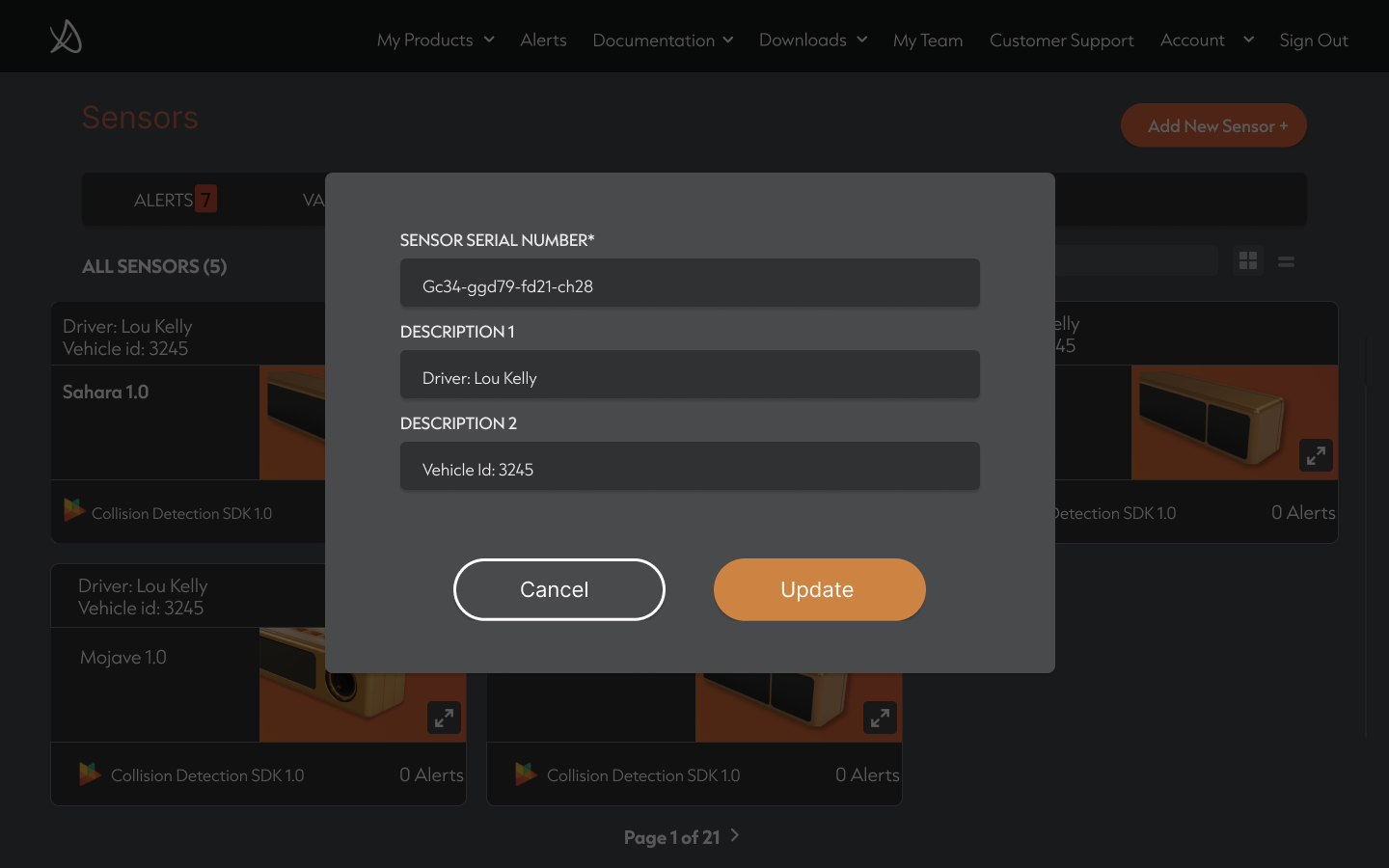
Fig. 02 — Mojave datasheet, structured documentation layer.
“Designing for developers means shortening every loop between ‘I need this’ and ‘I’m using it’.”
The hardest part of this project wasn’t the interface — it was the versioning logic that lives underneath it.
The dashboard works because the IA treats SDKs and cameras as two coordinate axes of the same product surface. Once that pairing was made explicit, every other decision — navigation, alerts, documentation, account management — fell into place against it. The interface is the visible result of an information model that took most of the discovery phase to define.
The other lesson was about scale. PreAct’s roadmap means the SDK and the camera lineup will both keep growing, and any pattern that doesn’t accommodate that growth becomes a debt within a year. Designing the dashboard to absorb new versions without disturbing the existing flows was the single most valuable engineering constraint.